CONTACTDESK FEATURES
Your relationships.
A clearer way to work.
Find the right people. Understand their context. Keep your team’s knowledge together. Explore the details that make ContactDesk an association’s everyday workspace.
See it for your association01 / CONTACTS & ORGANISATIONS
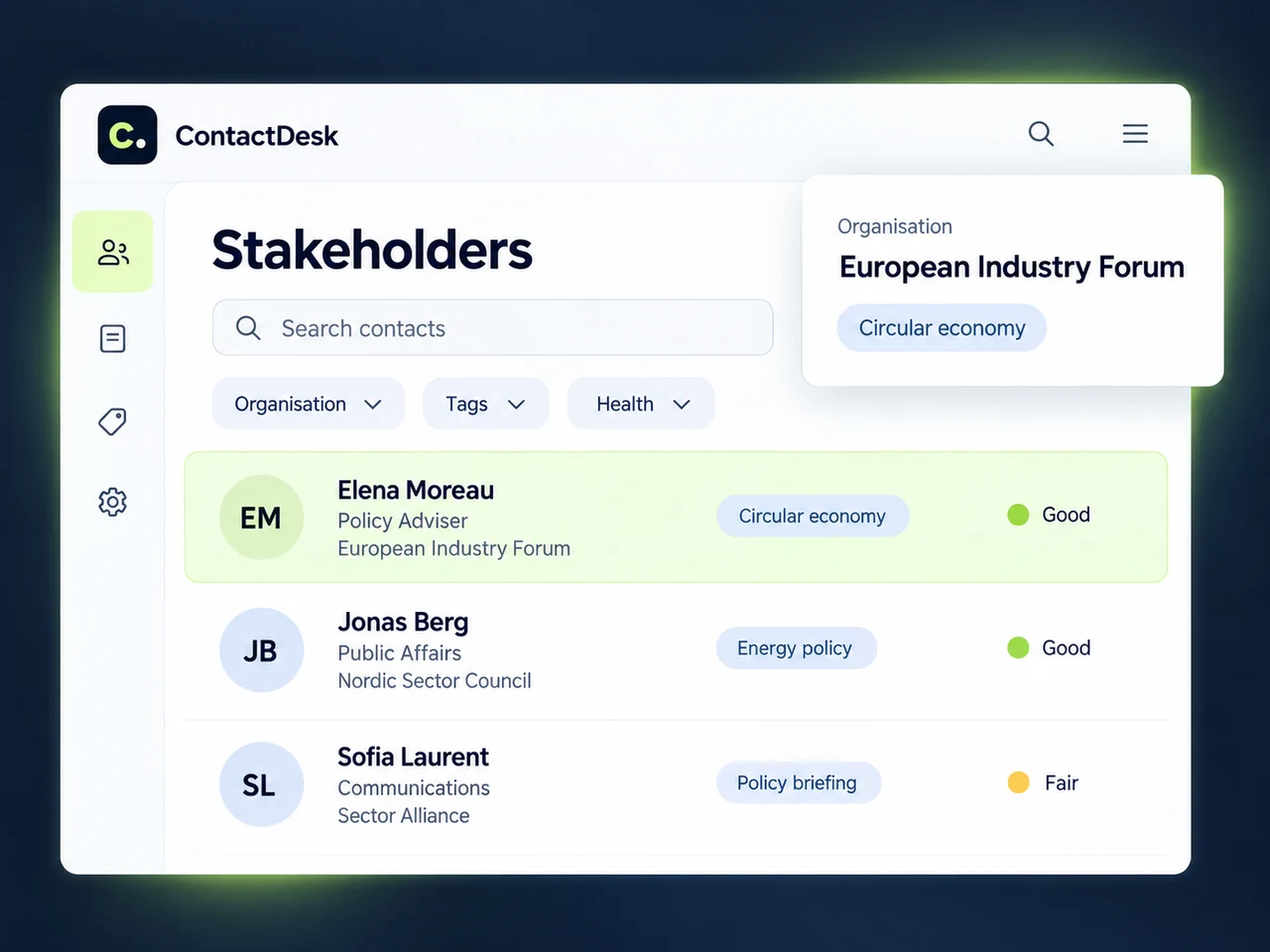
Every stakeholder. With the context that matters.
Bring people and organisations into a shared directory built around your association’s relationships. Move from a contact to their organisation, see their role and keep professional profiles alongside their details.
- Search contacts and organisations from the workspace.
- Filter the directory by organisation, tag or health.
- Keep priority relationships close with favourites.
02 / TAGS & TYPOLOGIES
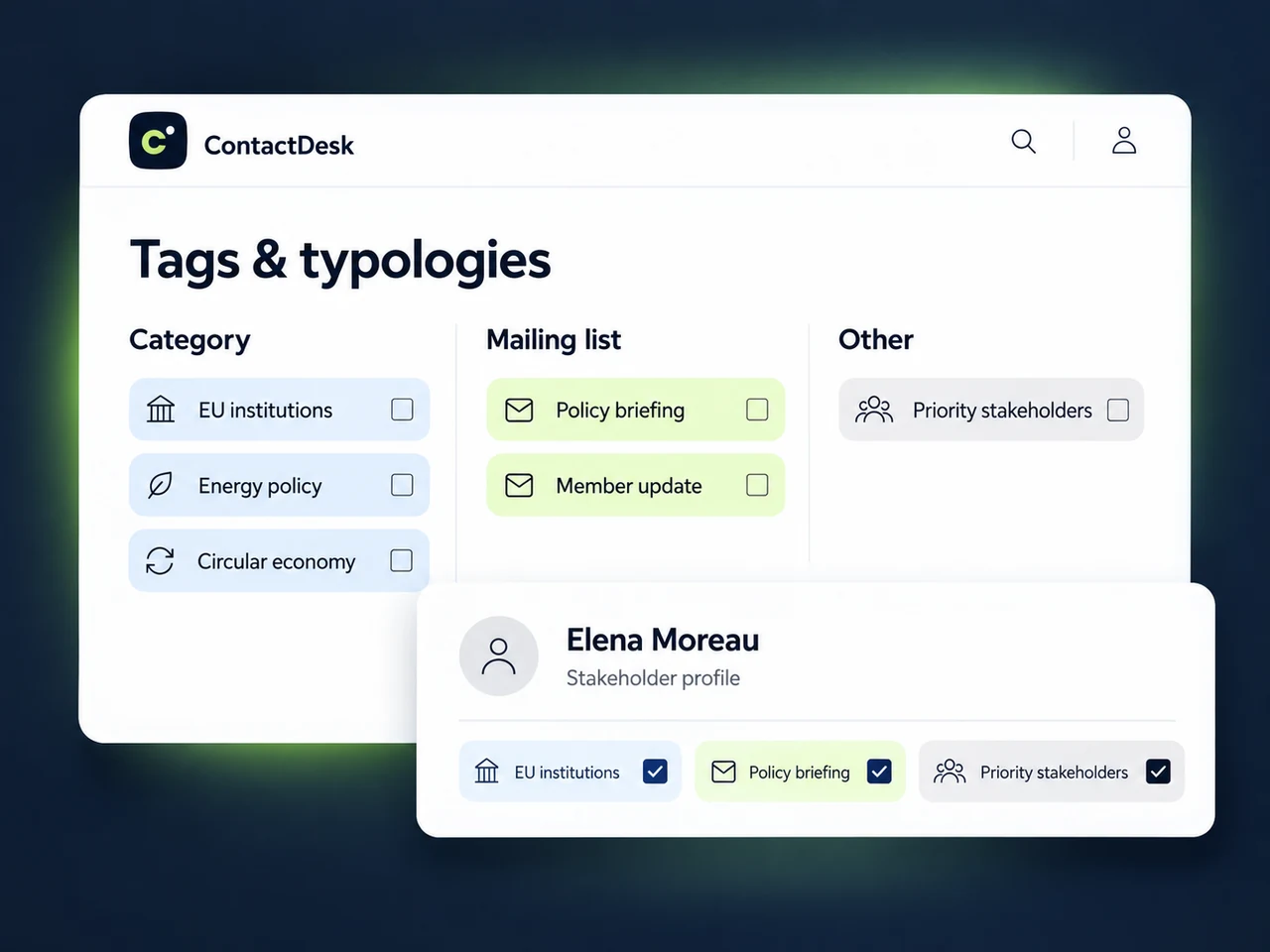
Organise your network in your own terms.
Create tag families that reflect how your association works. Qualify people around technical dossiers, advocacy priorities, events and mailing lists, with several tags on the same contact.
- Define your own typologies and tags.
- Add or remove tags directly on a stakeholder profile.
- Open the matching contact list from a tag.
03 / TEAM NOTES & ACTIVITY
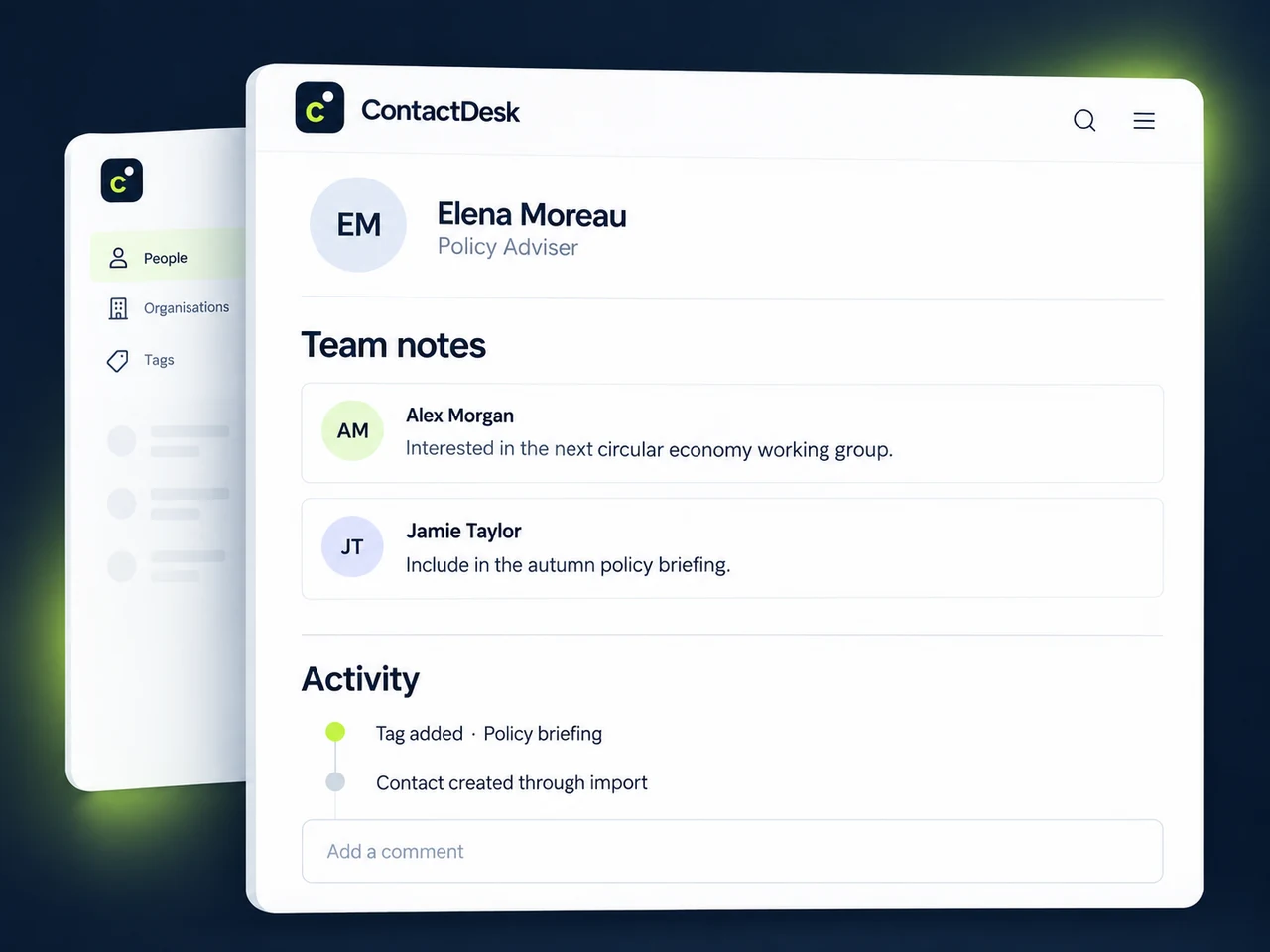
Keep relationship knowledge with your team.
A contact record becomes more useful when colleagues can understand its context. Shared notes and a recorded activity history bring that context closer to the people who need it.
- Add team comments to a stakeholder profile.
- Read recorded changes and their attribution in the activity trail.
- Keep notes, tags and organisation context together.
04 / CONTACT HEALTH
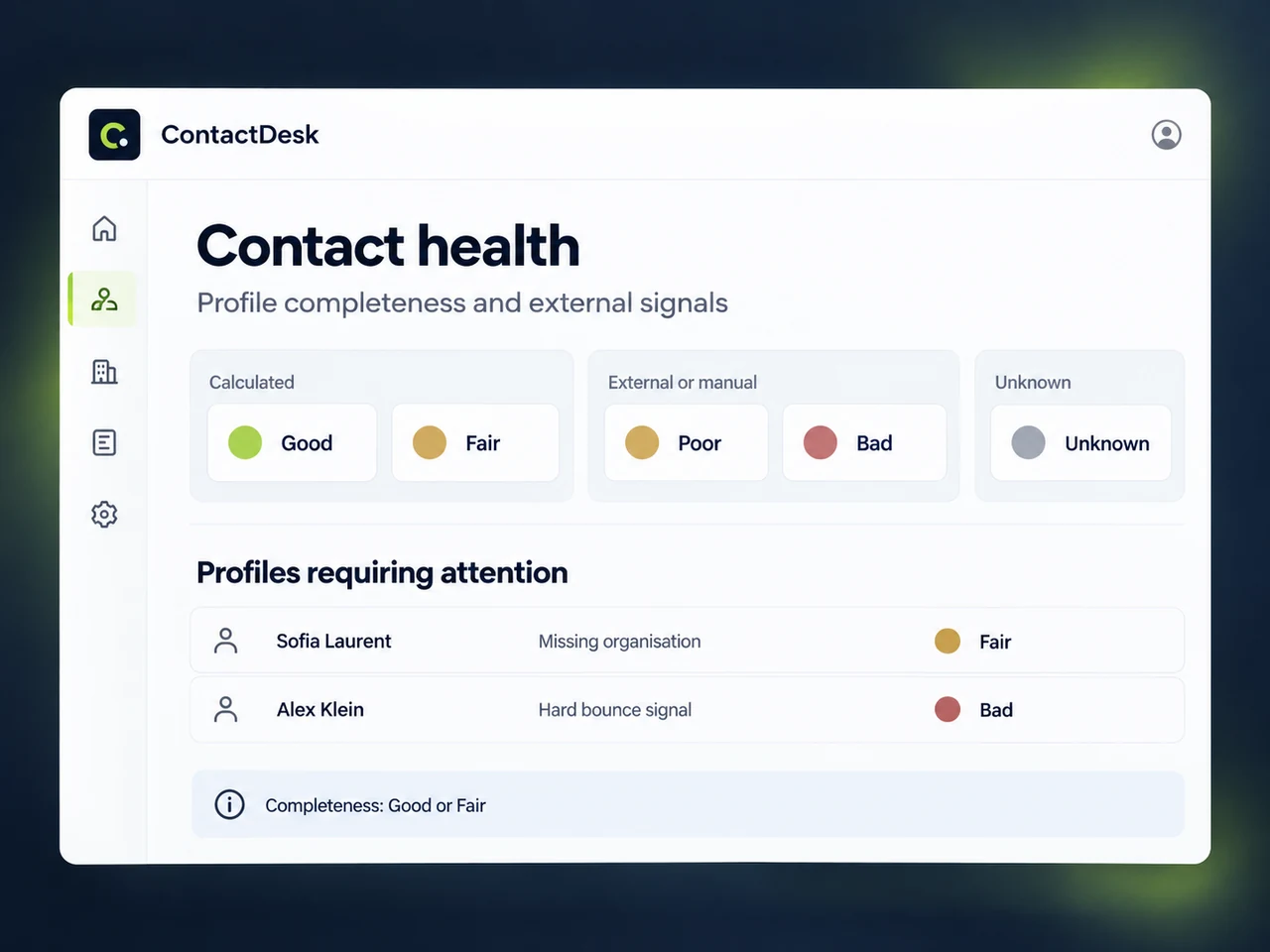
Know where your data needs attention.
Start with a network overview, then open the contacts that need review. ContactDesk distinguishes calculated profile completeness from manual or integration health signals.
- Review Good, Fair, Poor, Bad and Unknown health states.
- Use completeness checks to identify missing organisation or tags.
- Open a prioritised list of profiles requiring attention.
05 / IMPORTS & DATA PORTABILITY
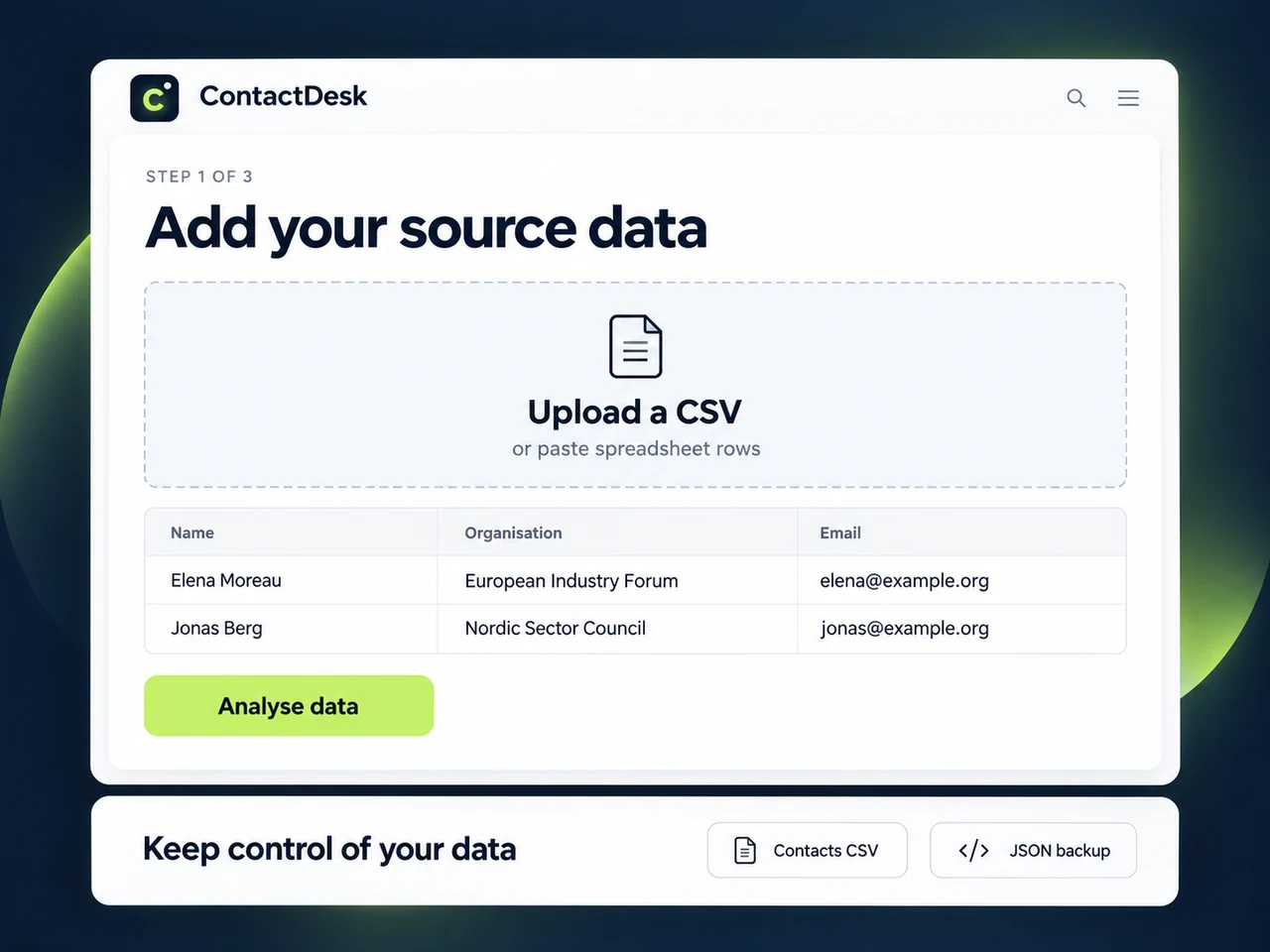
Move beyond spreadsheets. Keep control of your data.
Bring existing contact lists into a guided import workflow, then retain the ability to take your directory with you. ContactDesk includes operational CSV exports and a separate JSON backup export.
- Upload CSV or text files, or paste spreadsheet rows.
- Review previous imports in the import history.
- Export contacts with organisations, tags, profiles, health and notes.
06 / BREVO & MAILING FEEDBACK
Bring delivery signals back to the relationship.
Keep email delivery feedback connected to your stakeholder relationships. Brevo signals help your team recognise hard bounces and unsubscribes while reviewing a contact.
- Hard bounces map to Bad; global email blocklisting maps to Poor.
- Review contact health against the latest Brevo information.
- Review unknown webhook contacts before deciding to import them.
A LITTLE MORE CLARITY
Your questions.
Answered.
From your first import to everyday stakeholder work.
Talk to the ContactDesk team01Who is ContactDesk designed for?
ContactDesk is a stakeholder relationship manager for sector associations, European federations, confederations and associations working in European affairs. It brings stakeholder details, organisational context, interests and team knowledge together around policy, communication and advocacy work.
02How can we organise contacts around our own priorities?
You can create tags and organise them into your own typologies. A contact can carry several tags, so the same person can be connected to a policy dossier, a technical working group, an event and a mailing list. Tags on a profile also lead to the matching contacts in the directory.
03Can we find contacts by organisation, topic or data quality?
Yes. The directory includes search and filters for organisation, tag and health, plus a favourites filter. Organisation records bring their associated contacts together, while the network overview links directly to filtered contact lists.
04What does contact health actually measure?
ContactDesk separates calculated completeness from other signals. The completeness check assigns Good or Fair, with missing organisation or tags highlighted for attention. Poor and Bad are reserved for manual or integration signals; Unknown means the contact has not yet been assessed. A healthy or complete profile is not proof of permission to send marketing emails.
05Can colleagues share notes and see what changed?
Yes. A stakeholder profile includes team notes for shared context and an activity trail showing recorded actions and their attribution. The profile keeps these alongside contact details, organisation links and tags.
06Can we bring our existing spreadsheets into ContactDesk?
Bring your existing lists into ContactDesk with a CSV or text file, or by pasting spreadsheet rows. The guided import helps you organise your source data, and an import history keeps previous reports accessible.
07How does ContactDesk support email communication?
ContactDesk brings Brevo delivery and unsubscribe signals into the contact record, helping your team keep communication feedback alongside stakeholder context. Use contact health and shared tags to prepare more relevant outreach.
08Can we export our data?
Yes. Export your contacts with their organisations, tags, professional profiles, health information and notes in CSV format. A separate JSON export lets you retain a broader copy of your application records.
09How can we see ContactDesk with our organisation’s needs in mind?
Send a demo request with a little context about your association and the work you want to improve. The ContactDesk team at TRIPTIQ SRL will follow up by email to arrange a conversation.
LET’S PUT IT IN CONTEXT